ortho remote - 4. BLE-MIDI
BLE-MIDI
macOSでの設定
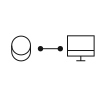
コンピューターとの接続
audio midi setupを開きます。
window > midi studio と進み、bluetooth configurationをダブルクリックします。
(3秒間)ペアリングボタンを3秒間押し続けます。
LEDが30秒間、水色に点滅(パルス点灯)し、ortho remoteがデバイスをスキャン中であることを示します。
bluetooth configurationで[connect]を押します。ortho remoteがmidiデバイスとして接続されます。
参照元情報:ortho remote guide - teenage engineering
ble-midi:https://teenage.engineering/guides/or-1#ble-midi
ble-midi-setup-video:https://teenage.engineering/guides/or-1#ble-midi-setup-video